Monitoring 0 flows · 0 check runs executed

Know your site is broken before your customers do.

SiteCheckIn runs your critical user flows — login, signup, checkout — on a schedule, and alerts you with screenshots, video, and a plain-English report the moment one breaks. No QA team required.

Runs on real browsers. Evidence on every failure. Cancel anytime. Privacy · Terms

How it works

Three steps between you and never hearing it from a customer

  1. 1

    Point SiteCheckIn at the flows that make you money

    Describe the steps your customers take — log in, sign up, buy — in the flow builder. Navigate, click, type, assert. No scripts to maintain.

  2. 2

    It runs them on a schedule, in a real browser

    Playwright drives a real Chromium against your real site on the schedule you choose, capturing screenshots and video on every run.

  3. 3

    When something breaks, you hear it first

    The moment a flow fails you get a plain-English AI report — what broke, where, and how bad — with the evidence attached.

Why SiteCheckIn

Built for the moment something breaks

Knows before customers do

Scheduled runs against your real site through real browsers — not uptime pings that stay green while your checkout button dies.

Evidence, not mystery

Every failure ships with a screenshot, a video of the run, and the console log — you see exactly what a customer saw.

Plain-English reports

An AI report says what broke, where, and how bad — readable by founders, not just engineers.

Alerts that matter

Email alerts on failure, silence when things are healthy. On paid plans, failures also hit your team's Slack or Discord the moment they happen.

One dashboard, every client

Agencies run projects per client with run history per flow — and shareable evidence when a client asks “was the site down?”

Start in minutes

Register, add a project, build a flow, hit “Run now”. The free tier covers your single most revenue-critical path.

From a real run

This is what lands in your inbox when something breaks
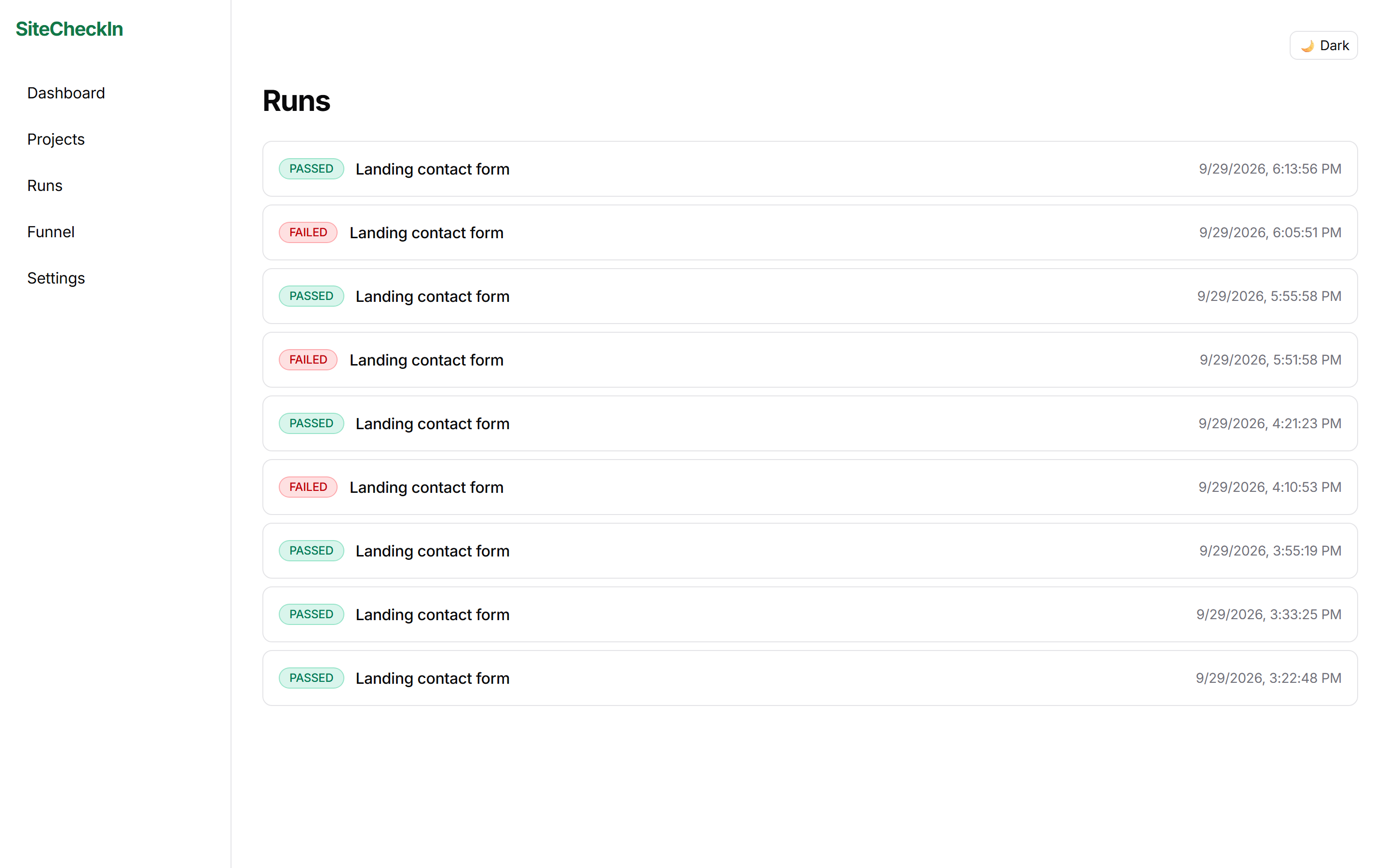
Run history table showing PASSED, FAILED, then PASSED again — real runs of one flow against our own site, with timestamps.
Shot from our own dashboard: the same flow, run after run. Two deliberate drills (FAILED) and the recoveries after each (PASSED) — every break captured, every recovery confirmed.
Full-page screenshot of a real website's contact page captured automatically by SiteCheckIn at the moment a flow step failed.
Actual full-page capture from the failing run (our own site).
CRITICAL

AI Report

A critical failure occurred while trying to confirm the visibility of an important element on the page that is necessary for user interaction. The site was unable to locate this element within the expected time frame, indicating that it was not present on the page.

From a real run of SiteCheckIn against our own site — a failure we deliberately drilled so you can see exactly what arrives when it matters: the screenshot the browser saw, and a plain-English report of what broke. Unedited.
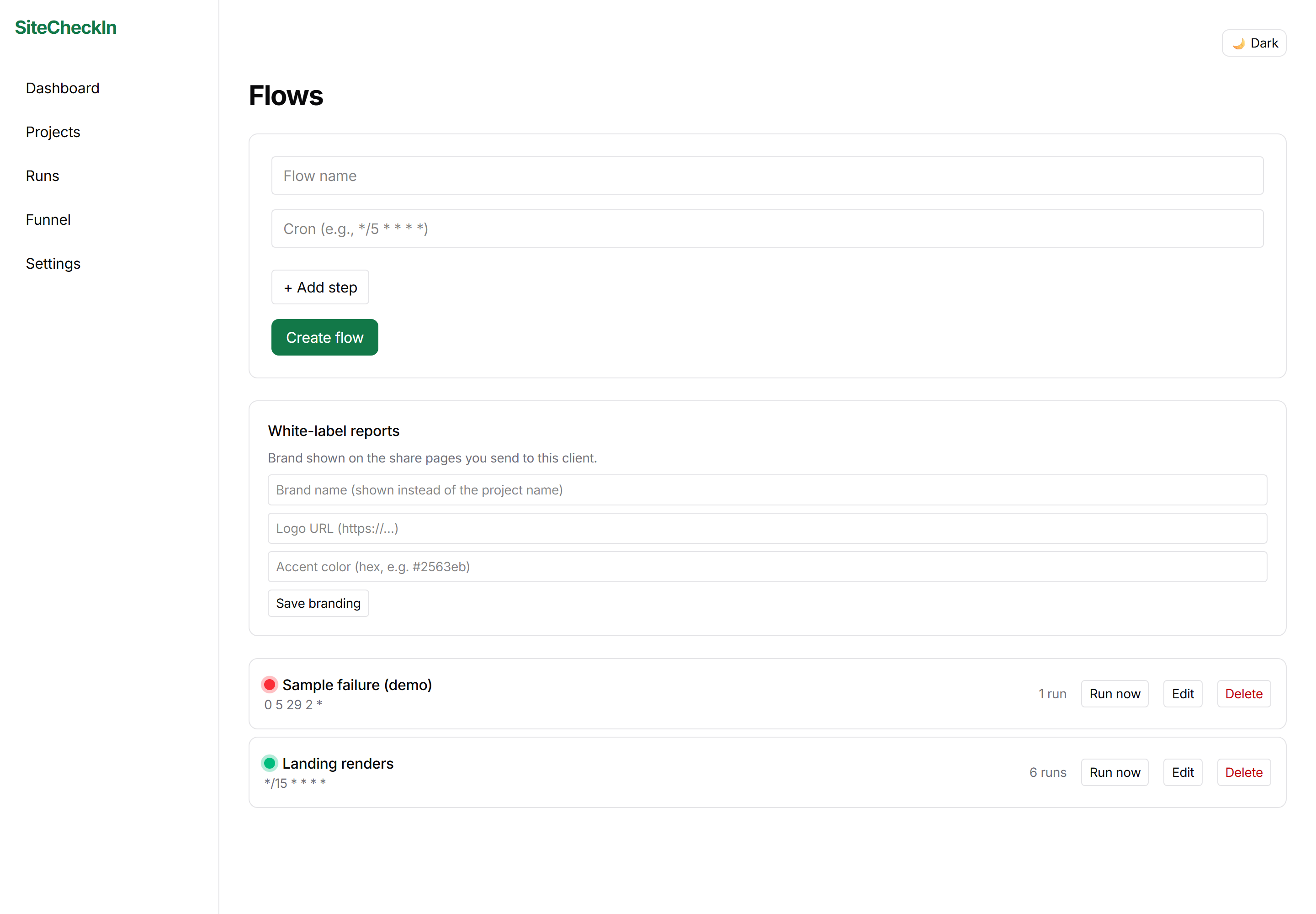
Project flows overview for SiteCheckIn Self-Monitor: a flow named Landing renders with a green status dot, scheduled */15 * * * *, with its run history count shown.
We don't ask you to trust a monitor we don't use ourselves: getsitecheckin.com is itself a monitored project — checked every 15 minutes by the product it runs on. Green dot: the latest run passed. Same engine, same cadence you get.
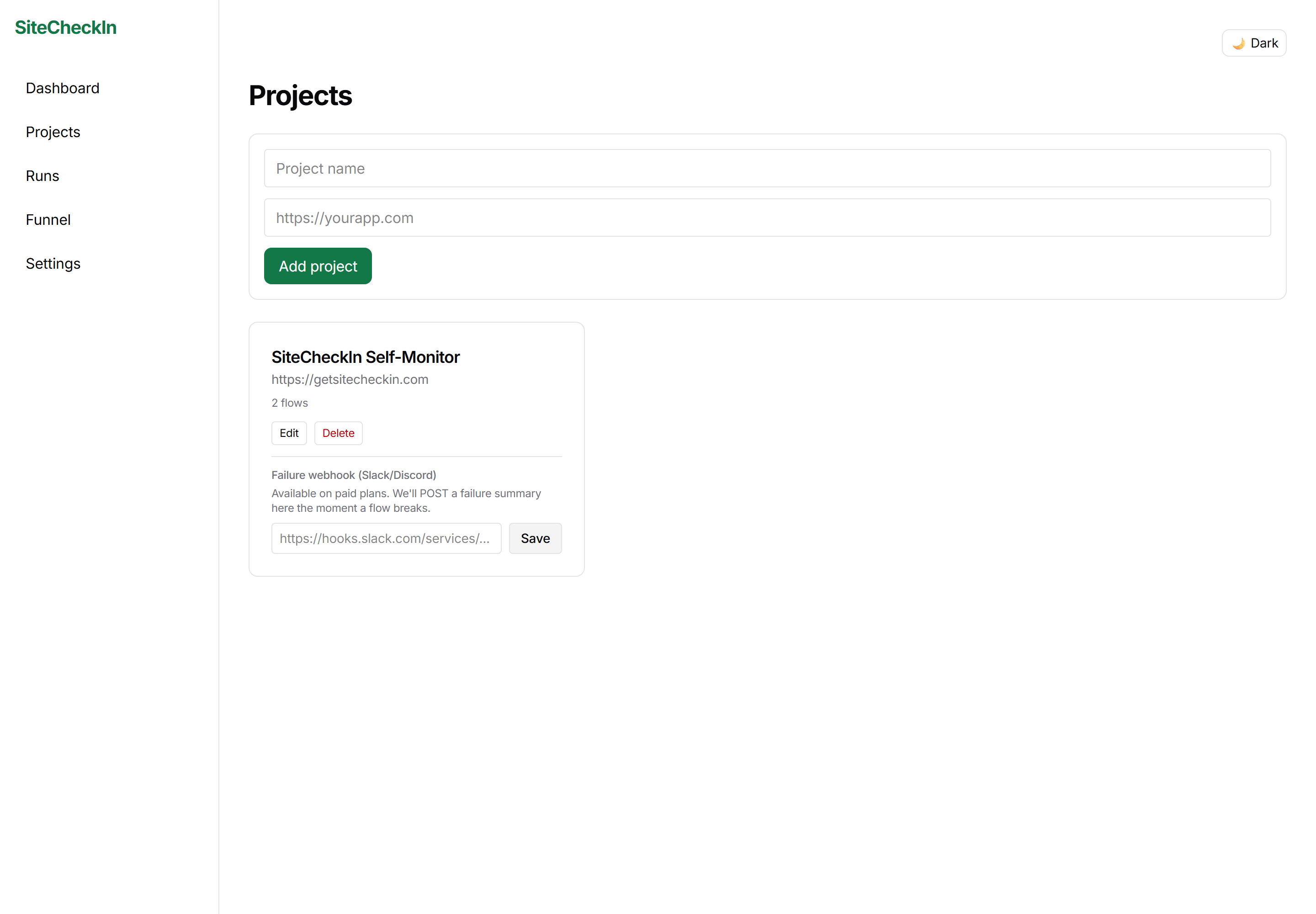
Dashboard Projects page showing one project, SiteCheckIn Self-Monitor, pointed at https://getsitecheckin.com with 2 flows.
Our own site registered as a monitored project in SiteCheckIn — same dashboard, same engine.

Pricing

Costs less than the first incident it prevents

Free

$0/mo

1 flow

Prove it on your most critical path

Start free

Starter

$49/mo

3 flows

One product, the flows you fear losing

Start free

Most popular

Pro

$149/mo

15 flows

Full coverage of a growing funnel

Start free

Agency

$299/mo

Unlimited

QA for your whole client roster

Start free

Every paid plan includes scheduled runs, evidence, AI reports, email alerts, and Slack/Discord failure alerts.

FAQ

The questions everyone asks

Isn't this just uptime monitoring?

No — uptime monitors check that a server answers. SiteCheckIn checks that your product works. One executes your checkout end-to-end; the other stays green while the payment form 500s.

How is this different from a cron job + Playwright script?

You'd still have to build scheduling, evidence storage, AI triage, alerting, run history, and a dashboard. We did. The free tier beats your first afternoon of glue code.

Will it hit my site too hard?

Runs are a handful of flows on your schedule — lighter than one real user's session.

Who is it for?

Solo SaaS founders without a QA team, and web agencies that answer to many clients at once.

Your checkout is down. Your customers know. Do you?

Start monitoring free